



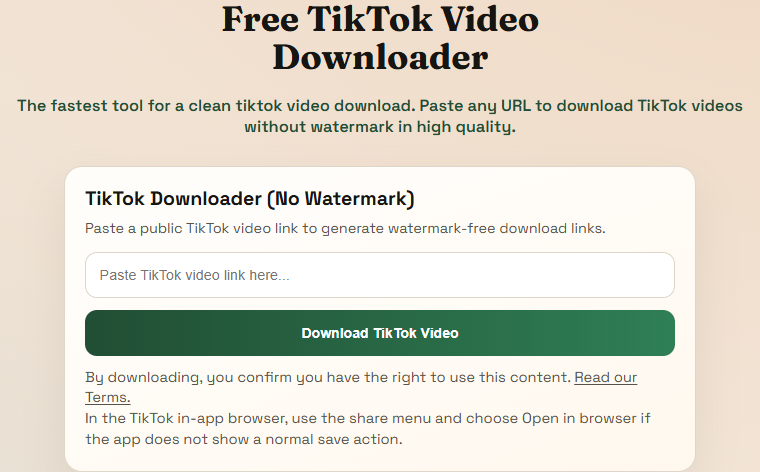
Step 1
Paste the TikTok link into this page
This is the real TikTok downloader card from the live site. The clearest way to start is with the full public post or video URL pasted directly into the box.
Trusted by thousands of users
Free TikTok video downloader
The fastest tool for a clean tiktok video download. Paste any URL to download TikTok videos without watermark in high quality.
Supports major public video platforms and websites.
These screenshots are taken from the live TikTok flow on this site so people can see the actual screens before they start.
Step 1
This is the real TikTok downloader card from the live site. The clearest way to start is with the full public post or video URL pasted directly into the box.
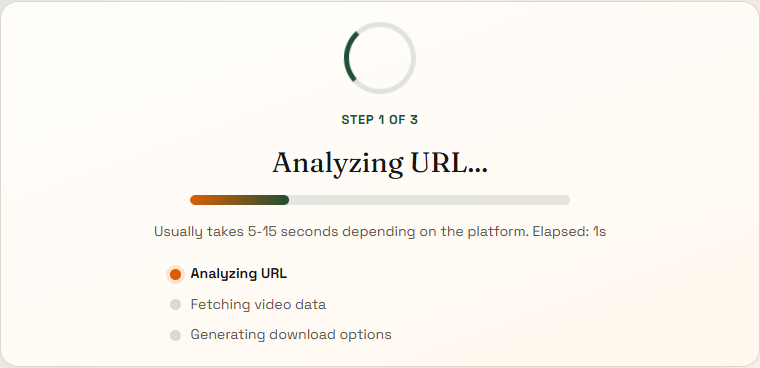
Step 2
After you submit a supported link, the site moves to the analyze page and shows a real loading state while it validates the source and prepares the available formats.

Step 3
When the source responds normally, the site shows the returned thumbnail, title, and top download option right away so you can save the file without guessing.
Simply copy the link from the TikTok app, paste it into the input box at the top of this page, and click download. Our system automatically removes the watermark for you.
Yes! Our tool is fully responsive. You can easily save TikTok videos directly to your mobile device using Safari, Chrome, or any standard web browser.
Yes, if you only want the trending audio, our tiktok downloader provides an option to extract and save the sound as an MP3 file.
Absolutely. You can use our platform to download as many TikTok videos as you want without any hidden fees or registration.
By default, videos are saved to your device's "Downloads" folder. On mobile devices, you can usually find them in your camera roll, gallery, or files app.
TikTok can reject direct media requests after a short time. Use the generated download link from this page instead of saving an old raw CDN URL.
Copy the original post URL from TikTok, not a preview page or chat share card, so the extractor receives the full video identifier.
TikTok media URLs are temporary. If a format no longer works, paste the post again and generate a new result.
If the browser plays the video instead of downloading it, right-click the playing video and choose Save video as.
On mobile, open the file and use your browser share or download action when it does not auto-save.
Save TikTok results quickly because temporary media links can expire fast.
This quick summary shows the best TikTok link to use, what result to expect, and how the save flow works.
Best for
Original public TikTok post links copied from the post or share menu
Watermark
Removed in this download workflow
Works on
Desktop browsers, iPhone, Android, and normal mobile browsers
Best input
The full original TikTok post URL, not a profile or preview link
Save flow
The browser may open playback first, then you save from the player if needed