


Step 1
Paste a real video link
The homepage keeps the main action in view. Paste a supported public link into the box and start the flow immediately.
Trusted by thousands of users
Free online video downloader
Paste a video link to download MP4 online in seconds from supported video and social pages.
Free online video downloader for major supported platforms.
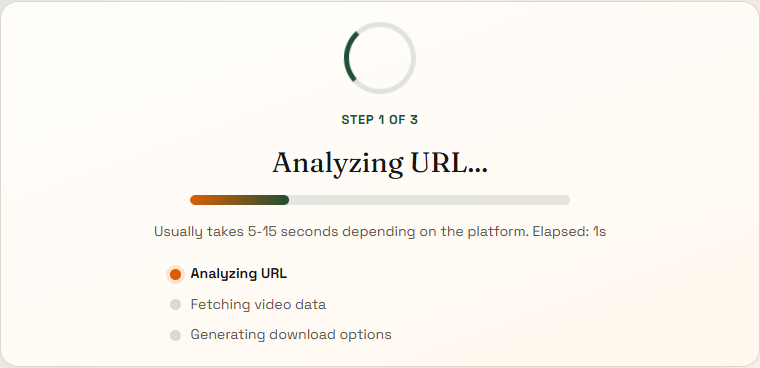
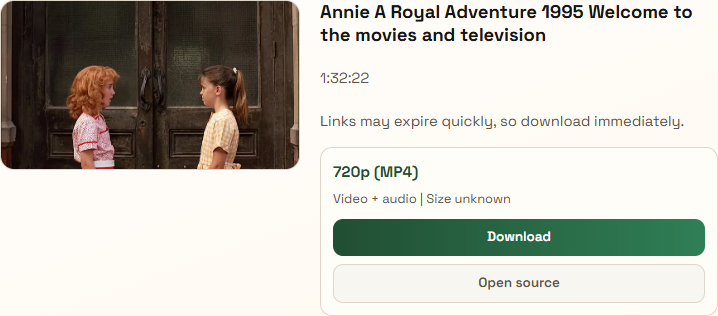
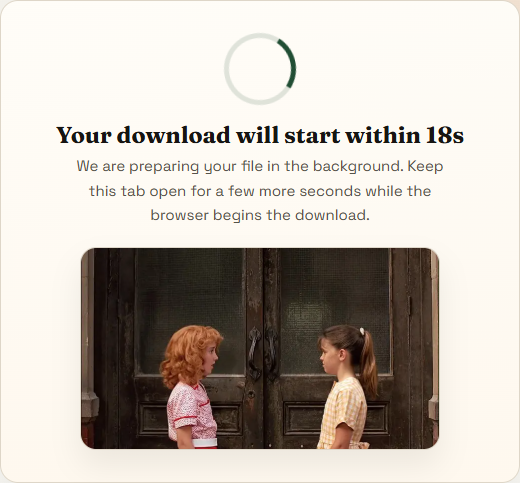
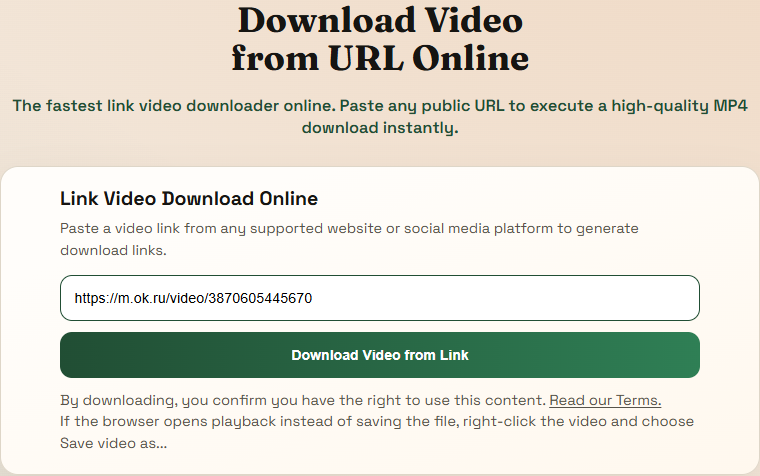
These are real screenshots from the current flow. They show what people see when they paste a link, wait through analysis, review the returned format, and stay on the download page until the browser starts the file.
Step 1
The homepage keeps the main action in view. Paste a supported public link into the box and start the flow immediately.
Step 2
The analyze page shows a real progress state while the site validates the URL, fetches video data, and prepares download options.
Step 3
When a supported source responds, the site shows the thumbnail, title, and the strongest download option first instead of hiding the result below the fold.
Step 4
The final step gives a clear countdown and keeps the download state visible so people understand the browser is still working.
Use the homepage when you want a general online video downloader that starts from a video link or URL. Each supported platform also has its own page with clearer link guidance, troubleshooting, and save steps for people who want more specific help.
Best for public TikTok posts when you need the right link to paste, want the exact save flow, or need help when the app does not show a normal download path. This page explains which TikTok URL to copy, how to handle app-open links, and what to do when playback opens before the browser shows a save option.
Download TikTok videoUse this for Instagram Reels and video posts when you need the correct URL to copy, the Reel keeps opening in-app, or you want browser-friendly save steps. It covers common Instagram download questions like which post link works, how to open the original Reel in a browser, and how to save public videos on desktop or mobile.
Download Instagram ReelOpen this page for public Facebook videos and Reels when you need the proper post link, clearer mobile steps, or help when playback opens before saving. The guide focuses on real Facebook watch-page problems, Reel links that behave differently in the app, and browser steps that usually work for saving public video.
Download Facebook videoBest for X posts with video when you want the tweet URL format that works, a direct download route, and less guesswork around the right media file. This page helps with common X and Twitter video download issues such as copied share links, multi-media posts, and choosing the format that actually contains the video you want.
Download X videoUse this for public Vimeo videos when you want an MP4 download route, a cleaner watch-page workflow, or simple browser steps that make saving easier. It is written for people looking for a Vimeo video downloader that starts from the public watch page and ends with a normal browser-based file save.
Download Vimeo videoOpen this page for public Dailymotion videos when you need the exact page URL, a direct MP4 result, or download instructions that work in normal browsers. The guide explains how to start from a public Dailymotion link, avoid dead-end playback flows, and save the returned video in a more predictable way.
Download Dailymotion videoBest for Streamain watch pages when you need the real page URL, a usable public link, or step-by-step help for saving the file on desktop or mobile. It answers the practical questions people usually have with Streamain: which page to copy, which link shape works, and what to do after the browser starts playback.
Download Streamain videoUse this for Public App videos when the post opens inside the app, the shared link is confusing, or you need simple steps to save a public news clip. The page is aimed at real Public App download problems like regional news links, app-first sharing flows, and finding a usable public video page before saving.
Download Public App videoNeed more platform-specific help? Open the help hub.
Copy the public video URL, paste it into the input at the top of this page, and let the site analyze the link before you choose a download option.
We support public video links from TikTok, Instagram, Facebook, X, Vimeo, Dailymotion, Streamain, Public App, and other supported platforms.
Yes. The tool runs in the browser and does not require a software download or account before you generate download options.
Yes. The pages are built to work on mobile as well as desktop, including the analyze step, format selection, and download handoff.
Some browsers open the returned video first. If that happens, use the save action in the browser or right-click the video and choose Save video as...