



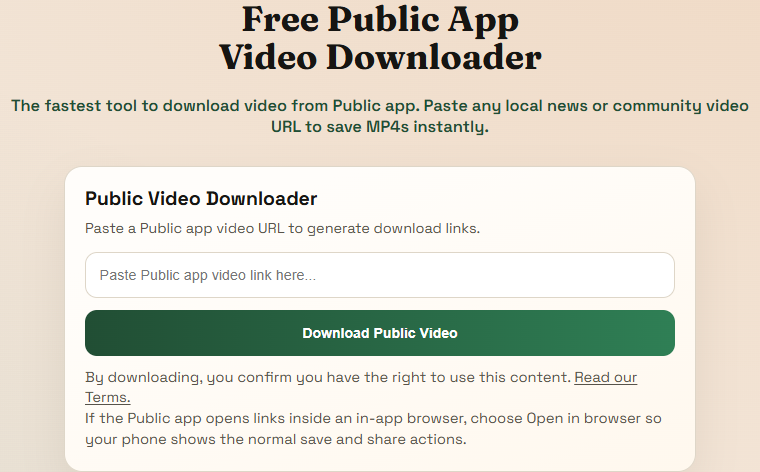
Step 1
Paste the Public App link into this page
This is the real Public App downloader card from the live site. The clearest way to start is with the full public post or video URL pasted directly into the box.
Trusted by thousands of users
Free Public App video downloader
The fastest tool to download video from Public app. Paste any local news or community video URL to save MP4s instantly.
Supports major public video platforms and websites.
These screenshots are taken from the live Public App flow on this site so people can see the actual screens before they start.
Step 1
This is the real Public App downloader card from the live site. The clearest way to start is with the full public post or video URL pasted directly into the box.
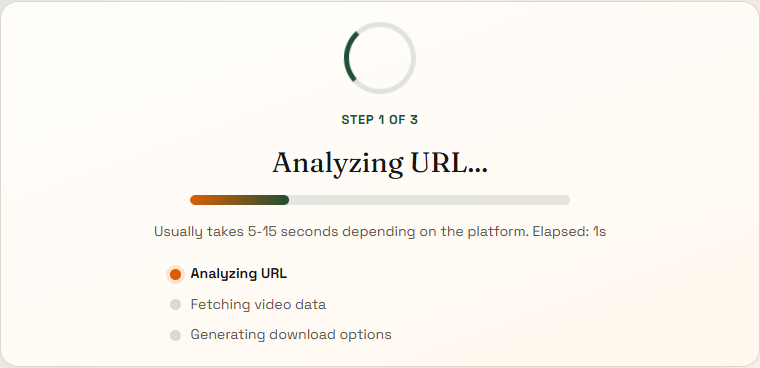
Step 2
After you submit a supported link, the site moves to the analyze page and shows a real loading state while it validates the source and prepares the available formats.
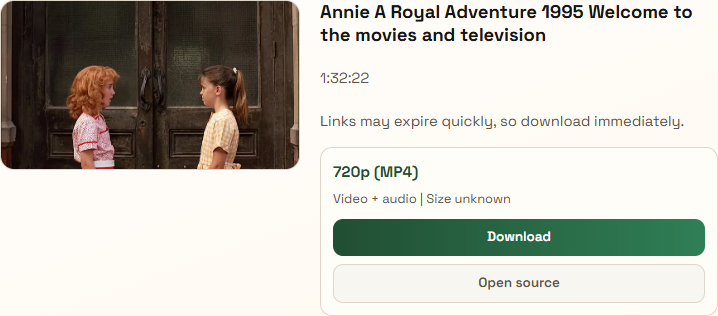
Step 3
When the source responds normally, the site shows the returned thumbnail, title, and top download option right away so you can save the file without guessing.
Copy the shareable Public app video link, paste it into the input box at the top of this page, and click download to generate the available file.
Yes. Once the MP4 is saved to your phone or computer, you can share it through WhatsApp like any other video file, as long as you have permission to use it.
Absolutely. You can use our Public app downloader without registration, subscriptions, or hidden fees.
No. The downloader works directly in your browser, so you do not need to install a separate app or extension.
By default, videos are saved to your device's Downloads folder. On phones, you can usually find them in your Files app, gallery, or camera roll depending on the browser.
The downloader requires a public, shareable link from the Public app. If the URL is incomplete or copied from the wrong screen, the extraction may fail.
Some mobile browsers treat Public app media as streamable content. Open the file first, then use the browser save or share action to keep the video.
After the file opens, use your browser share or download action to save the MP4 into your phone's files area or camera roll.
If the clip does not appear in the gallery right away, open your Files or Downloads app first and move it from there.