



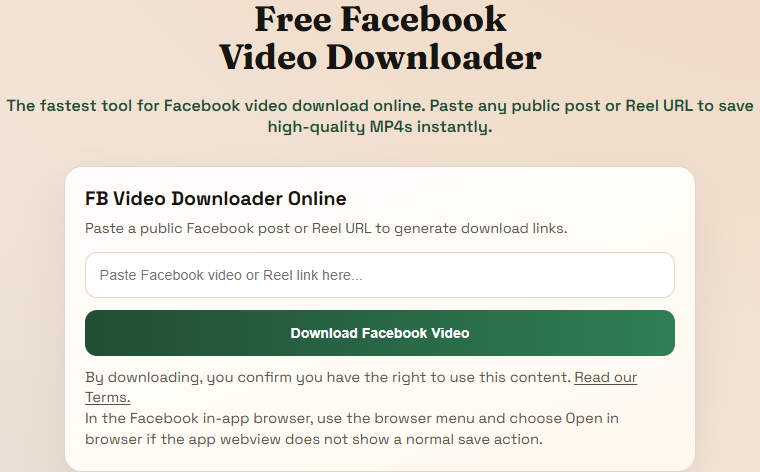
Step 1
Paste the Facebook link into this page
This is the real Facebook downloader card from the live site. The clearest way to start is with the full public post or video URL pasted directly into the box.
Trusted by thousands of users
Free Facebook video downloader
The fastest tool for Facebook video download online. Paste any public post or Reel URL to save high-quality MP4s instantly.
Supports major public video platforms and websites.
These screenshots are taken from the live Facebook flow on this site so people can see the actual screens before they start.
Step 1
This is the real Facebook downloader card from the live site. The clearest way to start is with the full public post or video URL pasted directly into the box.
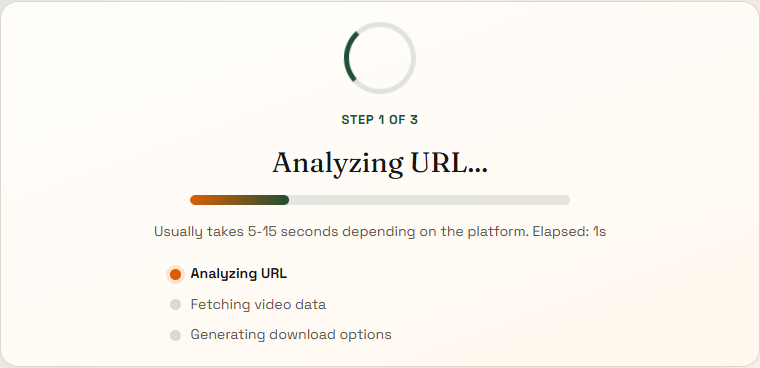
Step 2
After you submit a supported link, the site moves to the analyze page and shows a real loading state while it validates the source and prepares the available formats.
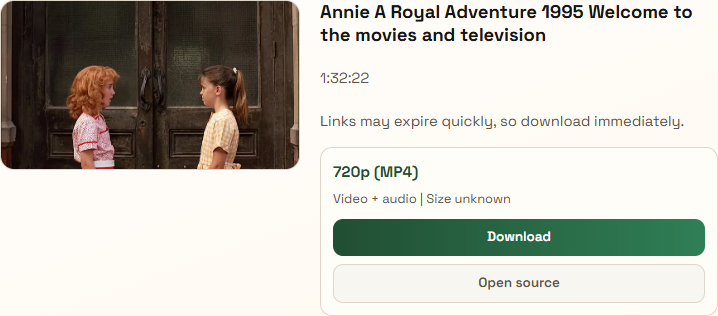
Step 3
When the source responds normally, the site shows the returned thumbnail, title, and top download option right away so you can save the file without guessing.
Simply copy the link of the public video or Reel from Facebook, paste it into the input box at the top of this page, and click download.
Yes! Our tool is fully responsive. You can easily save from Facebook on any iOS or Android device using your mobile browser.
Absolutely. You can use our fb video downloader as many times as you want without any hidden fees or registration.
By default, videos are saved to your device's "Downloads" folder. On mobile, you can usually find them in your camera roll or files app.
No, our tool only supports downloading public Facebook videos and Reels. We respect user privacy and platform guidelines.
Facebook watch pages and original post URLs are more reliable than shortened previews because they preserve the underlying video reference.
Facebook media URLs can expire quickly. Return to this page and request new download links when an older one stops opening.
Some browsers treat Facebook media as streamable content. Open the file and save it directly from the player when needed.
Right-click the playing video and choose Save video as when a direct download does not begin.
Use your browser download or share action after the media opens.
Fresh Facebook links work best, so save the file right after the formats appear.